
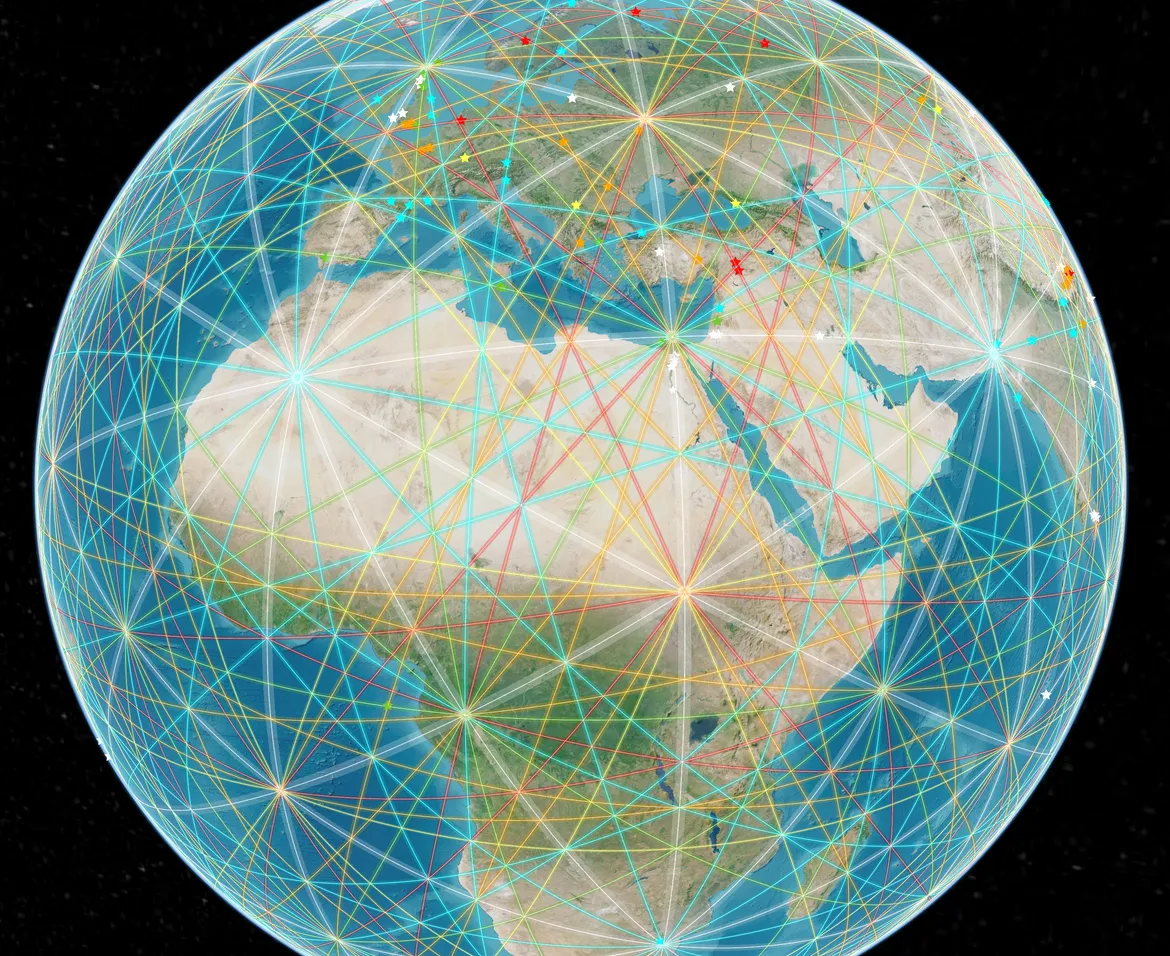

leylines.net documents and archives leylines and places of high energy, mapping a global network that invites us to perceive Earth as a living, interconnected system where geography, geometry, and human consciousness converge.
Leylines Map
How to start with the Globe
Frequently Asked Questions
How to get started with the Leylines Map?
To launch the Leylines Map and display some basic data follow these steps.
- Display the Leylines Map by using the URL https://maps.leylines.net.
- In the left-hand panel click to launch the Data Catalogue.
- Browse through the Data Catalogue to find a dataset of interest. Click on the title of your prefered dataset to get a preview of that data, along with a description and other relevent metadata. To view your selected dataset on a larger map, click . The spatial data will be immediately displayed in the map view, and a visual legend for that data will appear in the Data Workbench, located on the left hand side of the page.
- Note that it may not be immediately obvious where your selected spatial data has loaded on the map. To locate loaded data on the map, go to the Data Workbench (positioned on the left hand side of the page), and click to extent link for your desired dataset. From here you can also click to get more information about your selected dataset.
- To add additional datasets to the map, simply click again in the left hand panel to relaunch the Data Catalogue.
- Zoom manually by moving your mouse pointer over the map and using your mouse wheel to zoom in or out further.
- Click and drag the map to further show the region in which you are interested.
- Click on a feature (that is, directly on a point or line, or within a region) to show data about the individual feature.
How to find out about a displayed feature?
Click on the feature which is displayed on the map. You can click on Points, on Lines or within Regions to see a display of the information available from the spatial data provider for that particular feature.
For Points and Lines, you need to click quite accurately to identify the feature.
For Regions, clicking on the boundary will give ambiguous results. Click within the region. You cannot find out further information about the features which are part of the base maps.
For Points and Lines, you need to click quite accurately to identify the feature.
For Regions, clicking on the boundary will give ambiguous results. Click within the region. You cannot find out further information about the features which are part of the base maps.
How to display my own spreadsheet or spatial data?
Spreadsheets with a point location (latitude and longitude) for each row, expressed as two columns: lat and lon. These will be displayed as points (circles). Spreadsheets must be saved as CSV (comma-separated values).
Other standard spatial data types such as GeoJSON and KML are also supported.
There are two ways to load your data:
Other standard spatial data types such as GeoJSON and KML are also supported.
There are two ways to load your data:
- Drag your data file onto the Leylines Map map view. The format of the data file will be auto-detected.
- Click on the Add Data button in the left hand panel. This will launch the Data Catalogue. Select the My Data tab at the top of the modal window and follow the provided instructions.
How to share my Leylines Map view with others?
There are three ways
- Click the Share button, copy the given URL (shown in the first text box) to the clipboard and paste it into an email which you send to the recipient. They can click on it in the email or paste it into their browser to see the same view as you.
- Click the Share button, copy the HTML fragment (shown in the second text box) and paste it into an HTML file, which you then make available to the recipients. When the recipients display your web page, they will see the Leylines Map view within that web page.
- Take a screenshot and email it as an image (see your OS instructions on how to take a screenshot). This will share all information, even if loaded from a local file or URL.
How to contribute Data Sets to Leylines Map?
The Leylines Map encourages data providers to publish their spatial data using this platform.
If you require your dataset to appear under a separate category of the Leylines Map Data Catalogue, you will need to contact the support for Leylines Map by emailing to info@leylines.ch for more information. You will need to provide an internet accessible service in a standard protocol to access your dataset on the internet and appropriate references must be added to the Leylines Map configuration.
If you require your dataset to appear under a separate category of the Leylines Map Data Catalogue, you will need to contact the support for Leylines Map by emailing to info@leylines.ch for more information. You will need to provide an internet accessible service in a standard protocol to access your dataset on the internet and appropriate references must be added to the Leylines Map configuration.
Where are the satellite imageries in the basemaps?
Due to constant overquota of my basemaps i have decided to exclude them from the globe. If you want to use them, send an email to info@leylines.ch to get access to these additional basemaps.
How big is the Leylines team?
I'm a one man show. This site is a project I develop in my spare time. As a family man and 80% employee it is not always easy to find the time to add new content and maintain the site.
How can I donate your work?
Donations are very welcome. They will be used to maintain the site (server, domain, etc.) and to add additional features. Please use this link to donate.
Tools and Brands
Tools used to build this page
Linux
Cesium
Terria
Leaflet
Github
Amplify
Netlify
Iterm